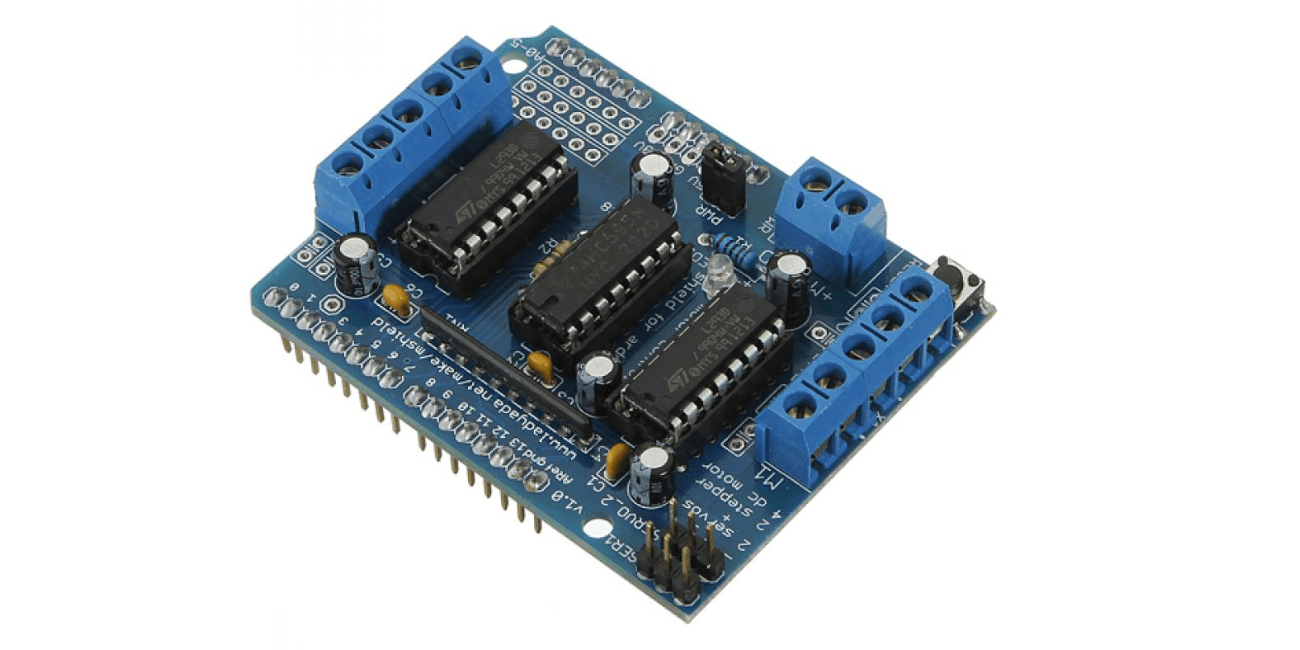
L293D Motor Driver Shield For Arduino
Introduction
The L293D Motor Driver Shield is a versatile and popular component used in Arduino projects to control DC motors. This shield simplifies the process of interfacing with motors, making it a valuable tool for robotics, automation, and other applications. In this blog post, we'll delve into the L293D's features, functionality, and provide a step-by-step guide on how to use it with your Arduino board.
Understanding the L293D Motor Driver
The L293D is a quad H-bridge driver IC, designed to control two DC motors simultaneously. It offers a convenient way to drive the motors in both forward and reverse directions, as well as adjust their speed. Key features of the L293D include:
- Quad H-bridge: Provides four independent H-bridge circuits for controlling two motors.
- Bidirectional control: Allows for both forward and reverse rotation of the motors.
- PWM control: Enables precise speed regulation using pulse-width modulation.
- Current limiting: Protects the motors and driver IC from excessive current draw.
- Thermal shutdown: Ensures safe operation by shutting down the driver if it overheats.
Connecting the L293D Shield to Your Arduino
- Gather the necessary components: Arduino board, L293D Motor Driver Shield, DC motors, and jumper wires.
- Stack the shield: Place the L293D shield on top of your Arduino board, ensuring proper alignment of the headers.
- Connect the motors: Attach the DC motors to the appropriate terminals on the shield. Refer to the shield's documentation for the correct pin assignments.
- Connect the power supply: Connect a power source (e.g., battery or power adapter) to the shield's input terminals, ensuring it meets the L293D's voltage and current requirements.
Additional Considerations
- Heat dissipation: The L293D can generate heat when driving high-current motors. Ensure proper cooling to prevent overheating.
- Current limiting: If you're using high-current motors, consider adding external current limiting resistors or using a MOSFET-based driver for better efficiency.
- PWM control: For precise speed control, use pulse-width modulation (PWM) to vary the duty cycle of the motor control signals.
- Motor protection: Implement measures to protect the motors from overload, stall conditions, and other potential issues.
Conclusion
The L293D Motor Driver Shield provides a convenient and affordable solution for controlling DC motors with Arduino. By understanding its features, following the connection guidelines, and writing appropriate code, you can create a wide range of robotic and automation projects.